Optionally, you can enter your company name into the "Company" field.
If you enter correct code, the program will be unlocked.
Depending on your registration key, the parts limit will be 100, 1000 or unlimited.
Register Smart2DCutting |
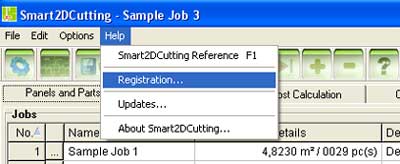
| To register Smart2DCutting, go to Help/Register and enter your name and the registration key you received when ordering Smart2DCutting. |
|
|
|
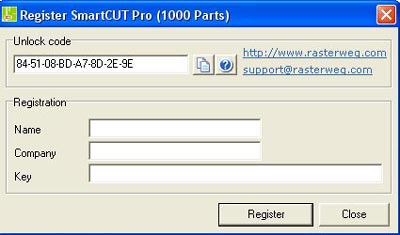
| Enter the "Registration Name" string into the "Name"
field and the "Registration Key" string into the "Key"
field and click the "Register" button. Optionally, you can enter your company name into the "Company" field. If you enter correct code, the program will be unlocked. Depending on your registration key, the parts limit will be 100, 1000 or unlimited. |